Open source
Brightness Tray
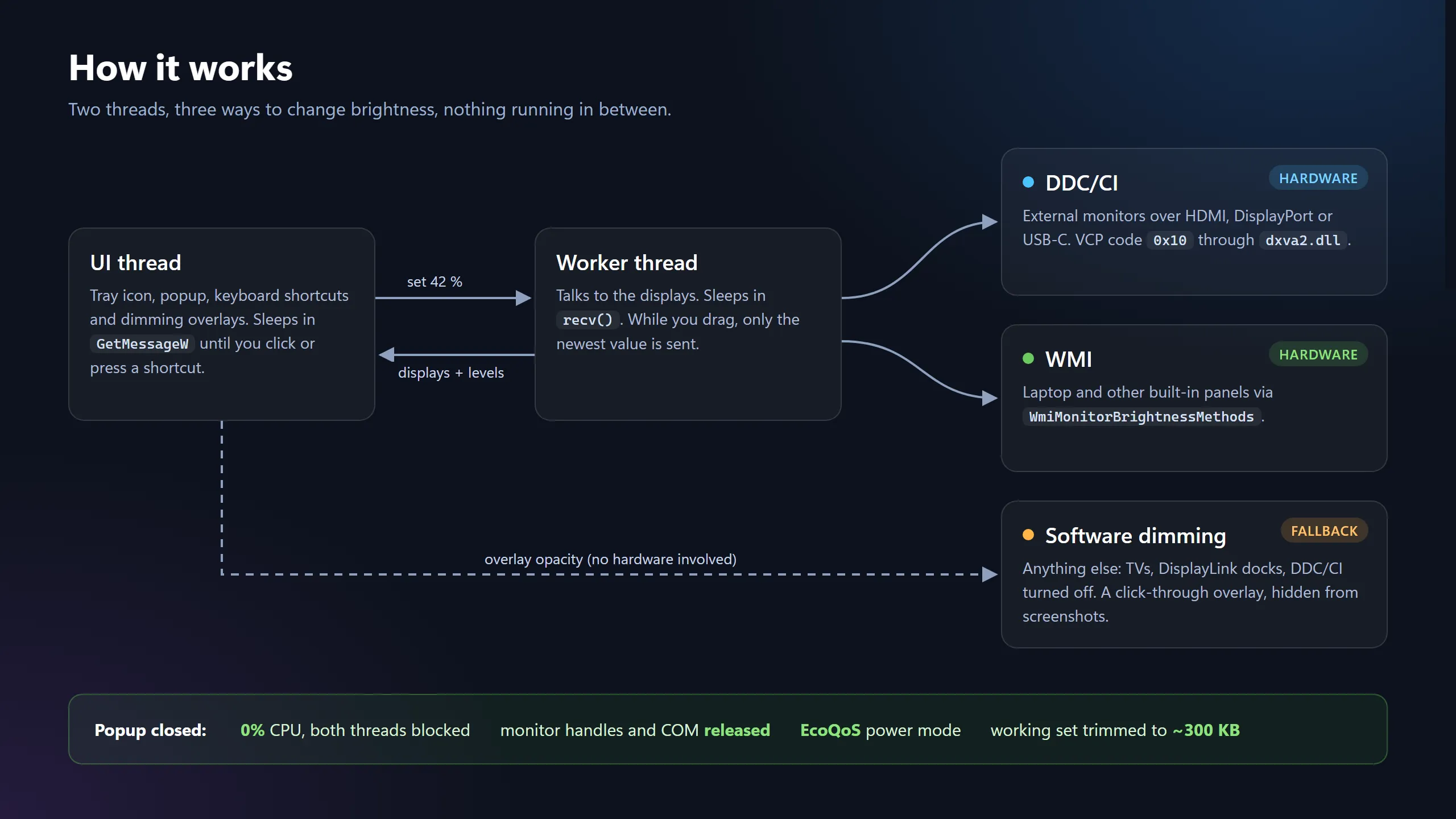
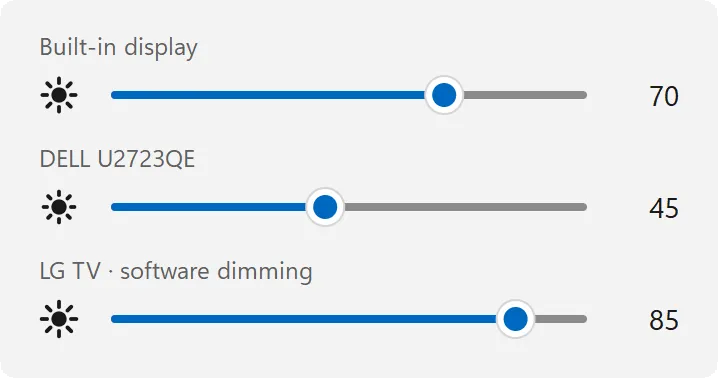
Windows gives you a brightness slider for the laptop screen and nothing for the monitor next to it. Brightness Tray gives every attached display its own slider and picks the right method for each: WMI for the laptop panel, DDC/CI for external monitors, and a dimming overlay for screens that support neither.
5GitHub stars
39release downloads
346 KBsingle exe, no runtime
75 minfrom a user’s bug report to a fixed release
How it is built
- About 2,000 lines of Rust calling Win32 directly, with no GUI framework.
- The flyout and its sun icon are drawn by a 108-line signed-distance-field rasteriser.
- A worker thread only sends the newest slider value to slow DDC/CI monitors, so dragging stays smooth.
- When idle it releases its handles, trims its working set and drops into Windows’ efficiency mode.
One user, two releases
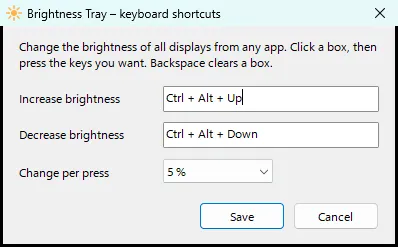
The first GitHub issue came from someone already using it every day. He asked for keyboard shortcuts, which shipped about 12 hours later. He then found a bug in them, and the fix was released 75 minutes after his report.